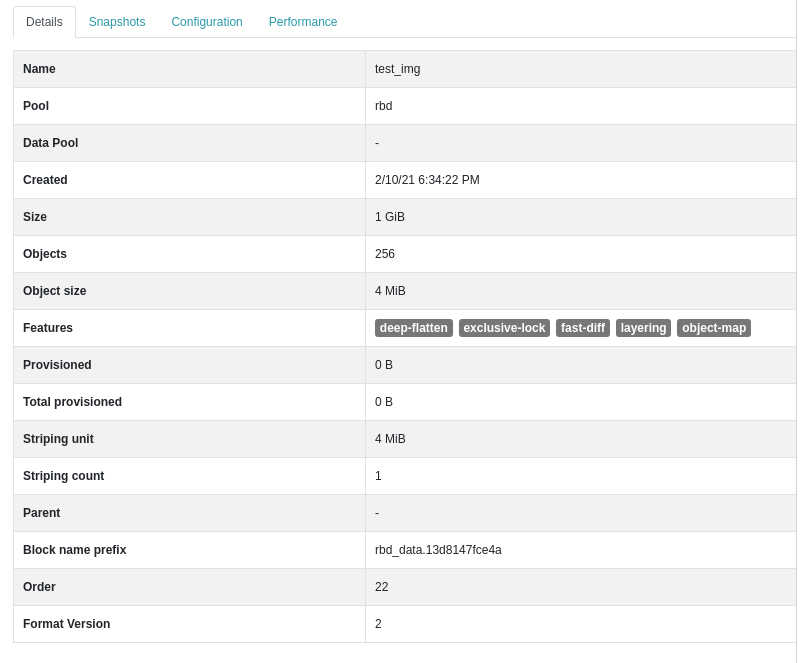
Thanks, Gilles. I recently opened a PR to improve RBD image listing ( https://github.com/ceph/ceph/pull/39344). In your specific case, I think that part of the issue could come from calculating the actually provisioned capacity. Could you please share the image details (or an `rbd info <img>` dump), like this? [image: image.png] Kind Regards, Ernesto On Thu, Jan 21, 2021 at 11:02 PM Gilles Mocellin < gilles.mocellin@nuagelibre.org> wrote:
Hi !
I respond to the list, as it may help others. I also reorder the response.
On Mon, Jan 18, 2021 at 2:41 PM Gilles Mocellin <
Hello Cephers,
On a new cluster, I only have 2 RBD block images, and the Dashboard doesn't manage to list them correctly.
I have this message : Warning Displaying previously cached data for pool veeam-repos.
Sometime it disappears, but as soon as I reload or return to the
gilles.mocellin@nuagelibre.org> wrote: listing
page, it's there.
What I've seen, is a high CPU load due to ceph-mgr on the active manager. And also stack-traces like this : [...] dashboard.exceptions.ViewCacheNoDataException: ViewCache: unable to retrieve data
I also see that, when I try to edit an image :
2021-01-18T11:13:26.383+0100 7f00199ca700 0 [dashboard ERROR frontend.error] (https://fidcl-mrs4-sto-sds.fidcl.cloud:8443/#/block/rbd/edit/veeam-> repos%252Fveeam-repo2-vol1 < https://fidcl-mrs4-sto-sds.fidcl.cloud:8443/#/block/rbd/edit/veeam-repos% 252Fveeam-repo2-vol1>): Cannot read property 'features_name' of undefined
TypeError: Cannot read property 'features_name' of undefined [...]
But that's perhaps just becaus I open an Edit window on the image and it does not have the datas. The Edit window is empty, and I can't edit things, especially, I wan't to resize the image.
[...]
-- Gilles
Le jeudi 21 janvier 2021, 21:56:58 CET Ernesto Puerta a écrit :
Hey Gilles,
If I'm not wrong, that exception (ViewCacheNoDataException) happens when the dashboard is unable to gather all required data from Ceph within a defined timeout (5 secs I think, since the UI refreshes the data every ~5 seconds).
It'd be great if you could provide the steps to reproduce it and some insights into your environment (number of RBD pools, number of RBD images, snapshots, etc.).
Kind Regards,
Ernesto
OK, As it is now, it always hapens, on the image listing, I have the Warning and the list is not always up to date, if I create an image, I must wait very long to see it. Also, I can not edit the 2 big images I have. Perhaps the size is important, they are 2 images of 40 TB. If I create a 1 GB test image, I can edit and resize it. But impossible withe the big image, the windows opens but all the fields are empty.
Also, if it can matter, the images use a data pool (EC 3+2).
I have 2 pools, a replicated one for metadatas veeam-repos (replic x3), and a data pool veeam-repos.data (EC 3+2). My cluster has 6 nodes with AMD 16 cores CPU, 128 GB RAM, 10 8 TB HDD. So 60 OSD. Soon doubling everything to 12 nodes.
Usage, as the pool and image names can tell, is to mount RBD image as a XFS filesystem for a Veeam Backup Repository (krbd, because nbd-rbd tailed regularly, especially during fstrim).